The margin is yours
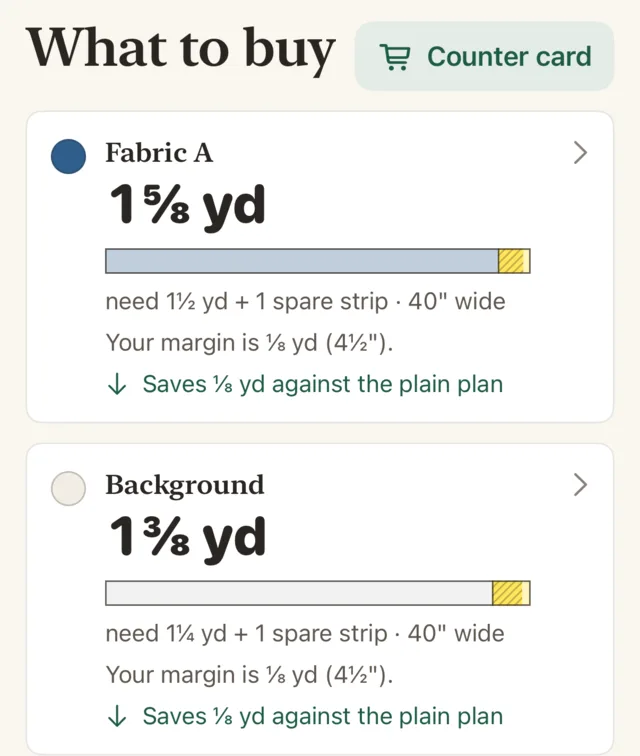
Running short of a fabric you can’t buy again is worse than buying a little extra. So for each fabric, Spare Yard shows what the quilt needs, the spare strips you asked for, and what to buy, rounded up to what the shop sells.
You choose from none to three spare strips per fabric.
Cut the way patterns tell you to
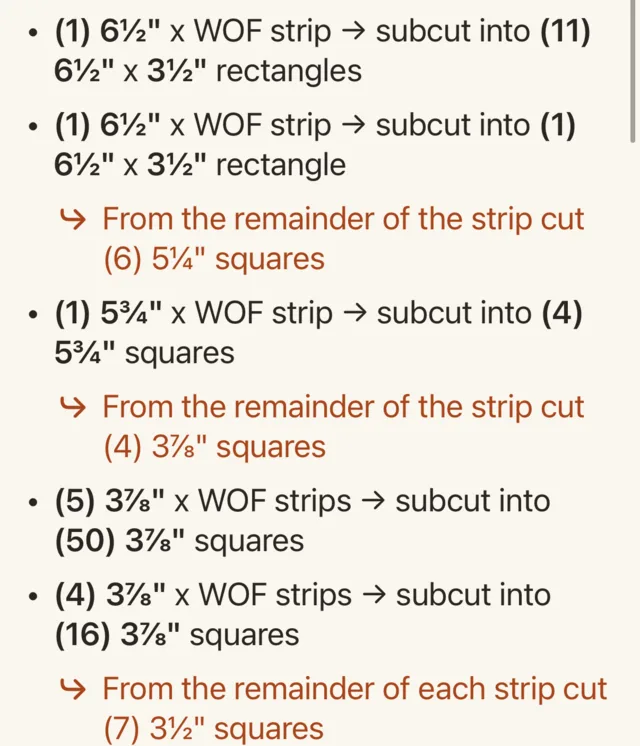
Every line is a full-width strip, a subcut of one, or a cut from the strip’s leftover end, for example “(5) 3⅞″ x WOF strips → subcut into (50) 3⅞″ squares”.
The cuts from the leftover end are marked in their own colour and drawn as a picture of the strip, because that is the step people misread.
Tell it your fabric’s real width
Usable width runs from about 40″ to 44″. Set it for each fabric, and the app shows when a different width changes the plan: 11 pieces per strip at 40″, say, and 12 at 42″.
See what it saved
Each fabric also shows how much less it buys than the plain plan, which cuts one piece size at a time and sets the strip ends aside. Both plans give you every piece. When there is nothing to save on a fabric, the app says so.
At the cutting mat
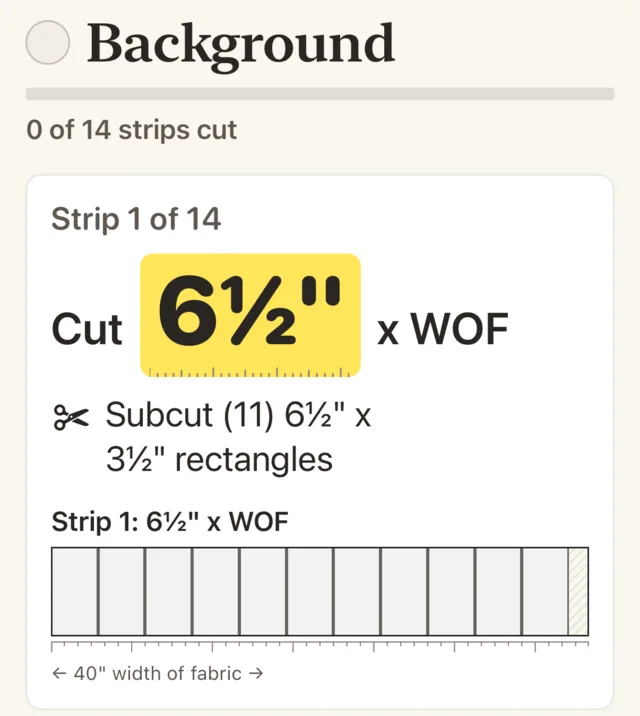
Cutting mode shows one strip at a time in large type, with the measurement to line your ruler up on. Tick each strip as you cut it, and the app remembers where you stopped.
The same plan prints as a cutting sheet.
One price, once
The calculators for backing, binding, batting and resizing a block are free, and so is your first full quilt plan. One purchase adds more plans, cutting mode and the printable sheet.
No subscription, no account, no ads.
On the App Store
Spare Yard is out for iPhone and iPad. The first full quilt plan is free.